Remove access on time
The riskiest access is the one nobody remembers granting. Lighthouse ties each grant to a project end date, so access ends close to when the work does.
Lighthouse Access is how you give contractors, vendors and your own staff access to Figma, GitHub and other tools, only while they need it. Your ops team approves each request, and every approval stays on record.
Recorded. We will write to when the next group opens.
One email when a group opens, nothing else.
The riskiest access is the one nobody remembers granting. Lighthouse ties each grant to a project end date, so access ends close to when the work does.
Seats that outlive the project keep billing every month, and nobody notices. Lighthouse shows which seats belong to which project, so you can find the ones to cancel.
Each change records who asked for it, who approved it, and who did the work, with dates. When an auditor asks about any access, you can trace it back to the request that granted it.
Every change (Eg. a new project, a later end date, a new person, or a removed tool) takes the same three steps. When the project ends, Offboard removes its access with the same steps. No change skips a step, so the record is complete.
A requester writes a draft and can come back to it later. They set the project name and dates, add the people who will use the tools (Eg. a contractor who joins for this project), and add a grant or revoke line for each person.
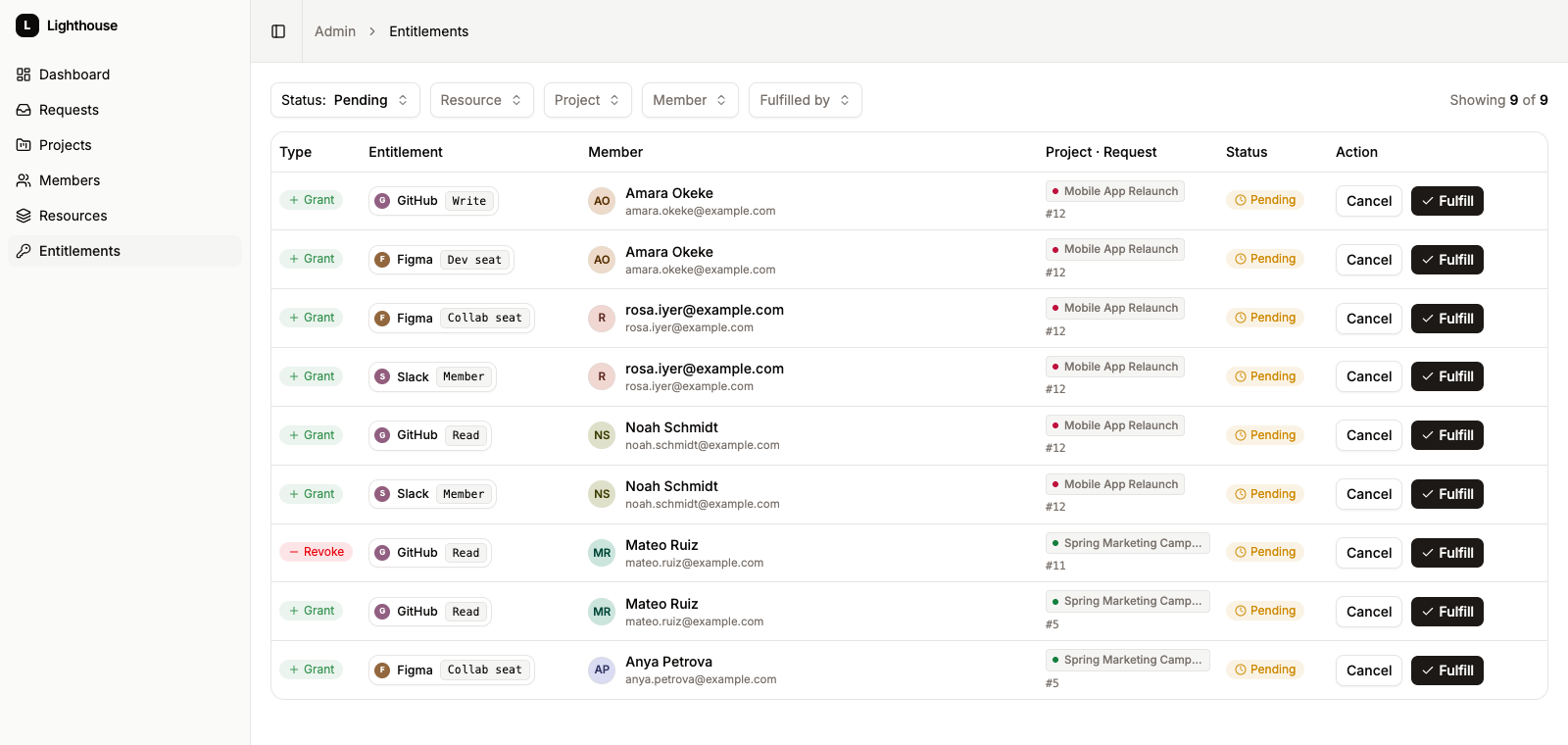
An operator opens the request from a queue, corrects it if needed, and approves or rejects it. Approval creates the project and puts each line in the operator's fulfillment queue.
The operator makes the change in the real tool (Eg. adds a seat in Figma). Then they tick the line in Lighthouse, which records their name and the date. A line cannot be ticked twice.
When a project ends, one action turns all of its access into revoke lines in a new request. That request goes through review and fulfillment like any other, so the removal is on the record too.
Lighthouse keeps the record for you. Nobody has to remember the process.
New projects, extensions of ongoing ones, and changes to what a project needs all go through the same review process.
Each request records who created, changed, and approved it. Each fulfilled line records who did the work and when.
Administrators keep every tool your team can request, with its permission levels, in one central list. When a tool is on its way out, they disable it, and nobody can request new access to it.
Nobody can edit a request after it is approved or rejected, so the record shows what was decided. A project has one open change at a time, so two approvals cannot conflict. A line cannot be fulfilled twice, so two operators do not do the same work.
What we are building now, and what comes next.
Scan your tools to find existing access and bring it into the record.
Email, Slack, and push alerts when a project is about to end or is past due.
Sign in with your company identity provider.
Create accounts in Figma, Slack, or GitHub when a line is fulfilled.
No. Lighthouse records the decision and gives your operator a checklist. They make the change in the tool, then tick the line. Automatic account creation is on the roadmap.
Not quite. A ticket closes when the access is granted, and it is not linked to a project with an end date. Lighthouse tracks the access until it is removed.
With one action on the finished project. Lighthouse turns each grant into a revoke line, and that request goes through review and fulfillment like any other.
No. Lighthouse does not connect to Google Workspace, GitHub, or any other tool, so you do not give us admin credentials.
No. A project has one open change at a time, so two approvals cannot conflict.
Leave your email and we will contact you when the next group opens. We keep each group small, so we can help every team set up.
Recorded. We will write to when the next group opens.
One email when a group opens, nothing else.